
Guides › Year-End Closing: Closing the Books for the Financial Year
Year-End Closing: Closing the Books for the Financial Year
RBTERP team · · 3 min read
How to prepare for year-end: the counts, reconciliations and adjustments to make, and how the year's profit moves into retained earnings.
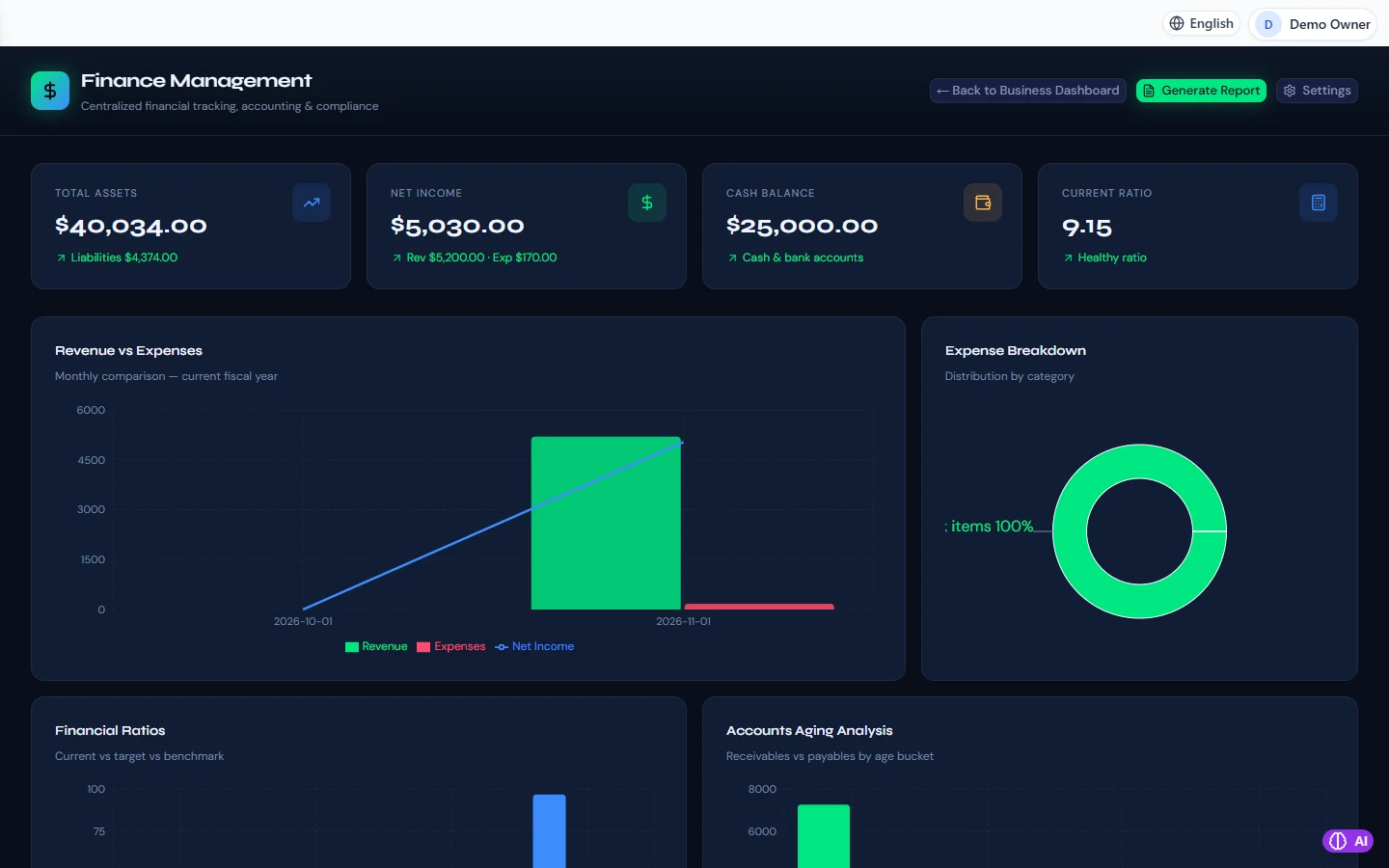
Finance & Accounting in RBTERP, with a sample company and fictional data.
Year-end is the month-end close with higher stakes. The figures become the basis for your tax return, your bank's lending decisions and your next year's plans. A business that closes every month finds year-end straightforward. One that does not finds it painful.
What closing the year actually does
During the year, income and expense accounts collect the year's activity. At year-end those accounts are closed: their balances are moved into retained earnings, the part of equity that holds profit kept in the business. The new year's income and expense accounts then start from zero, while balance sheet accounts such as bank, receivables and stock carry their balances forward.
Before year-end: plan it
- Agree a timetable with whoever prepares your tax return or audit.
- Plan the stock count for the last day of the year, or as close to it as possible.
- Remind staff to submit expense claims and supplier bills promptly.
The year-end checklist
- Close every month of the year. Each one checked and locked. See the month-end close checklist.
- Count stock and post the differences, so stock in the books matches stock on the shelves. See stock control for small businesses.
- Reconcile every bank and cash account to the year-end statement.
- Confirm receivables. Review every old balance. A debt you will not collect should be provided for or written off, with the reason recorded.
- Confirm payables against supplier statements.
- Review fixed assets. Run depreciation for every month, and record any asset sold, scrapped or lost. See depreciation and disposal.
- Post accruals and prepayments for costs that straddle the year-end.
- Review tax accounts. Tax collected and tax paid should agree with your returns.
- Read the final trial balance, account by account.
- Close the year.
- Take a backup labelled with the year, and keep it for as long as you must keep records.
Corrections after the year is closed
Your accountant or auditor may propose adjustments after you close. Agree them, then post them as instructed. Keep the record of every adjustment and why it was made.
Year-end in RBTERP
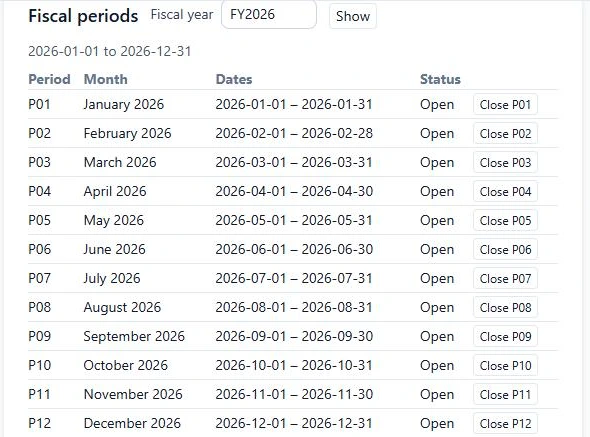
Your fiscal year is set under Settings, then Company. It drives the list of periods, the year-end close and the default dates on statements.
- Make sure every month of the fiscal year is closed or reviewed. Months are closed under Finance, then Settings, in the periods list.
- Preview the year-end close. RBTERP shows the fiscal year's dates, revenue, expenses, the net result, and the retained earnings account the result will go to. Any locked period is shown in the preview.
- Close the year. Income and expense accounts are closed into retained earnings: the account mapped to that role, or the retained earnings account in your chart.
A year that is already closed is reported as closed, not closed twice. Closed months refuse postings, and corrections to them are made as contra entries dated in an open period, so the figures you reported stay as reported.
After the close
- Share the statements with your accountant: the profit and loss, the balance sheet, the trial balance, receivables and payables ageing, the fixed asset register and the stock valuation.
- Review the year against your plan, and set next year's.
- Check that everyone knows the new year has started, so nothing is dated in the old one by mistake.
See financial statements explained for reading what the year produced.
This guide uses the Finance & Accounting module of RBTERP: Every invoice, bill, payment and stock movement posts to a double-entry general ledger, with ratios, ageing and financial statements ready when you need them.