
Guides › Month-End Close: A Checklist That Works
Month-End Close: A Checklist That Works
RBTERP team · · 4 min read
The order to close your books each month, what to check at each step, and how closing a period protects figures you have already reported.
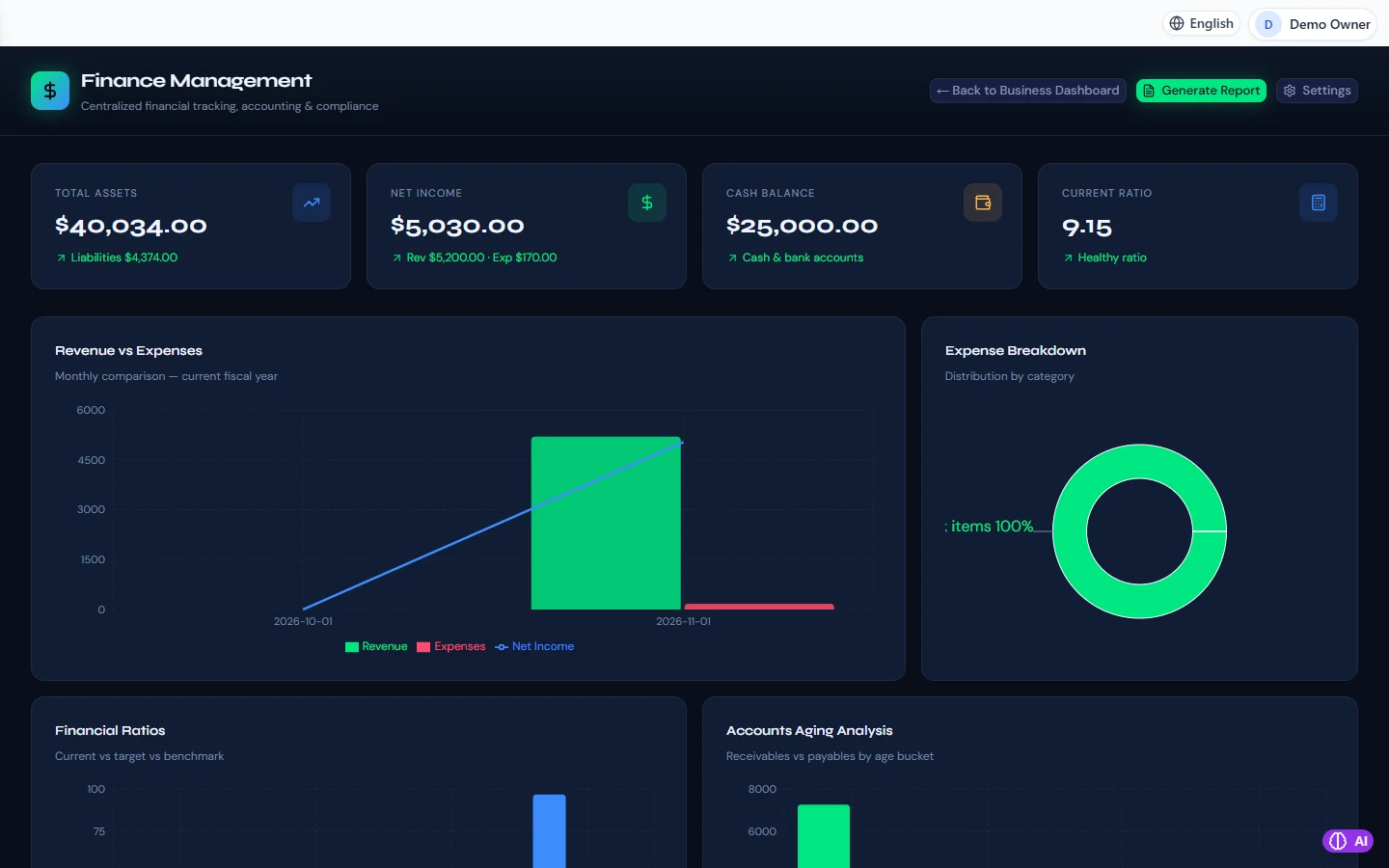
Finance & Accounting in RBTERP, with a sample company and fictional data.
Closing the month means deciding that a month's figures are complete, checking them, and then locking them so they cannot change by accident. A business that closes every month always knows its profit, its cash and what it is owed. A business that does not close finds out at year-end, when it is too late to act.
Why lock a month at all
Without a close, any invoice can be backdated into a month you have already reported to the owner, the bank or the tax office. The report you printed and the books then disagree, and nobody can say which is right. Locking the period keeps reported figures fixed. Corrections are still possible; they are simply made in the open month, where everyone can see them.
The checklist
Work through it in this order. Each step depends on the ones before it.
- Enter everything that belongs to the month. Sales invoices for goods delivered, supplier bills received, payments in and out, payroll. Ask the people who raise documents whether anything is still on their desk.
- Reconcile every bank and cash account. This is the strongest single check you have, because the bank's figures come from outside your business. See bank reconciliation, step by step.
- Review receivables. Read the ageing report. Chase what is overdue, and correct payments that were applied to the wrong invoice.
- Review payables. Check that the bills you know about are entered, and that nothing has been paid twice.
- Check stock. Compare the stock value in the inventory records with the inventory account in the ledger. Investigate negative quantities and items with no cost.
- Post the month's adjustments. Depreciation, accruals for costs incurred but not yet billed, prepayments to spread, and any corrections found in the steps above.
- Read the trial balance. Total debits must equal total credits. Then read the accounts one by one: is any balance on the wrong side, unusually large, or sitting in a suspense account?
- Read the profit and loss account against last month. Large changes should have a reason you can name.
- Close the period.
- Take a backup labelled with the month, and keep a copy off the computer. See how to back up your accounting data.
Common problems, and what they mean
- The trial balance is fine but profit looks wrong. Usually stock: goods sold with no cost recorded, or purchases expensed that should have gone to inventory.
- Receivables do not agree with the customer list. Someone posted a journal directly to the receivables account instead of through an invoice or a receipt.
- A balance in suspense. It is a question nobody has answered yet. Answer it before closing.
- You need to change a closed month. Post the correction in the current month and note which month it relates to. Reopening should be rare, and deliberate.
Closing a month in RBTERP
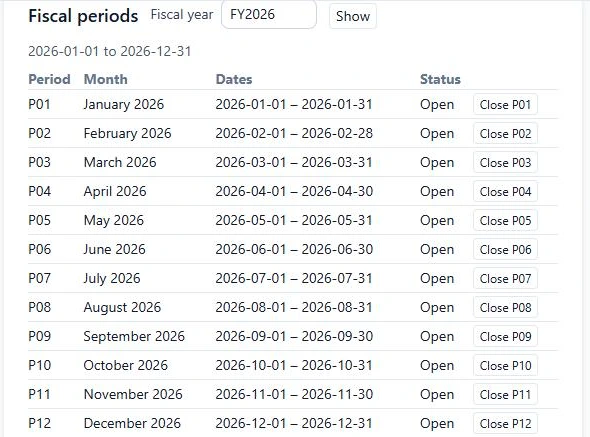
In RBTERP every invoice, bill, payment and stock movement posts to the general ledger as it is entered, so most of the checklist is review, not data entry.
- Review the month's trial balance under Finance, then Reports.
- Complete the month's bank reconciliation first.
- Close the month under Finance, then Settings, in the periods list.
- Check that the period shows as closed.
A closed month refuses postings dated in it, and a reversal of an entry in a closed month is made as a contra entry dated today, so the reported figures do not move. A person with the finance management permission can reopen a month, and the reopening is recorded.
Year-end
When every month of the fiscal year is closed or reviewed, the year-end close moves the year's income and expenses into retained earnings. RBTERP shows a preview first: the fiscal year's dates, revenue, expenses, the net result and the retained earnings account it will go to. A year that is already closed is reported, not closed twice.
How long should it take
For a small trading business, a few hours in the first week of the next month. If it takes longer, the cause is nearly always step 1: documents entered late. Fix that during the month, and the close becomes routine.
This guide uses the Finance & Accounting module of RBTERP: Every invoice, bill, payment and stock movement posts to a double-entry general ledger, with ratios, ageing and financial statements ready when you need them.