
Guides › Offline ERP and Accounting Software: Run Your Business Without the Internet
Offline ERP and Accounting Software: Run Your Business Without the Internet
RBTERP team · · 4 min read
How an offline ERP works, when it beats a cloud system, and what to check before choosing one, for Pakistani businesses where the internet is not always on.
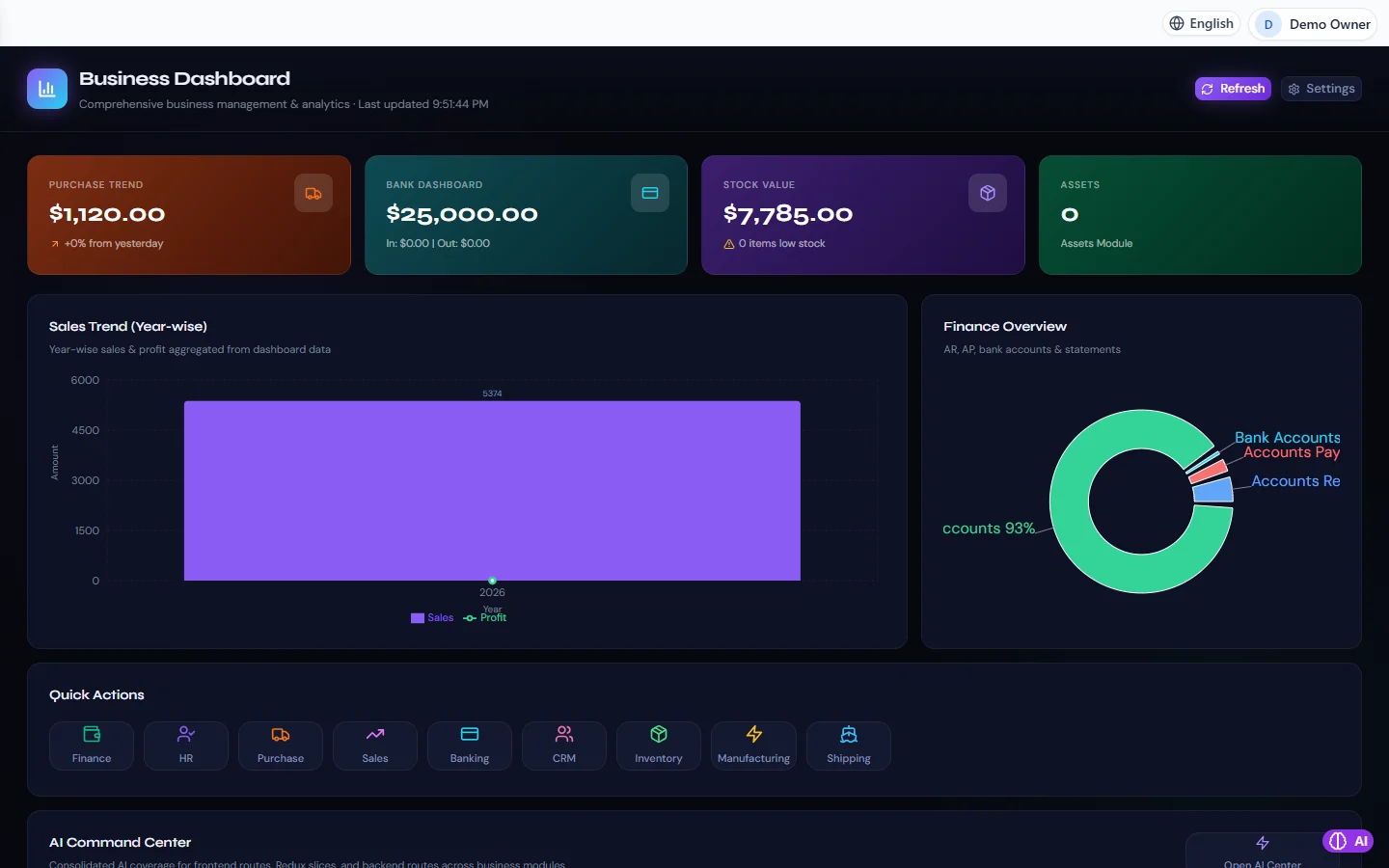
Business Dashboard in RBTERP, with a sample company and fictional data.
Most business software today lives in the cloud. That works well when the connection is fast and always on. In much of Pakistan it is not. Load-shedding takes the router down, mobile data runs out, and a cloud ERP that cannot reach its server cannot raise an invoice either. An offline ERP keeps working, because the software and the data are on your own computer.
This guide explains what "offline" really means, when it is the better choice, and what to check before you choose a system.
What an offline ERP is
An offline ERP is installed on a computer in your office, usually a Windows PC, and keeps its database on that computer. Every screen, from the chart of accounts to the stock ledger, runs locally. Nothing has to travel to a server abroad before you can save an invoice or post a payment.
RBTERP works this way. It is a desktop application with its own database file on your computer. Sales, purchases, inventory, bank and cash, payroll and the financial reports all run without an internet connection.
Offline does not mean alone
A common worry is that offline software means one person on one computer. It does not have to.
- Several users in one office. The computer that holds the data can share it on your office network, so other computers and tablets in the building can sign in at the same time. See multi-user access on your office network.
- Each person signs in. Users, roles and permissions still apply, and the audit trail records who did what.
- The internet when you choose. Features that talk to an outside service need a connection while they run: sending an email, submitting a digital invoice to FBR, or downloading an update. Everything else does not.
When offline is the better choice
| Your situation | Why offline helps | | --- | --- | | Power or internet cuts during the working day | Sales, receipts and stock keep moving; nothing waits for the connection to come back | | Shops, warehouses or factories outside the big cities | No dependence on a mobile signal at the counter or the loading bay | | You want your records on your own premises | The data file is on your computer, not on someone else's server | | You pay for data by the gigabyte | Day-to-day work uses no data at all | | You need speed | Local screens open instantly; there is no round trip to a server |
A cloud system still makes sense if your staff work from many cities on their own devices, or if no one in the business can take care of a computer and its backups.
Your data, your responsibility
When the data lives with you, so does its safety. Three habits cover almost everything:
- Back up every day, and keep one copy away from the office. A USB drive in a manager's bag is enough to start. See how to back up your accounting data.
- Test a restore now and then. A backup you have never restored is a hope, not a backup.
- Protect the computer. A Windows password, an up-to-date antivirus, and a UPS so a power cut does not interrupt a save. See keeping your data secure.
What to check before you choose
- Does it really work with the internet off? Unplug the router during the demo and raise an invoice.
- Is it complete? Accounting alone is not enough for most businesses. Look for inventory, purchasing, sales, bank reconciliation and payroll in the same system, posting to one ledger.
- Pakistan-ready? Rupee amounts, sales tax and withholding tax, NTN and STRN on documents, EOBI, and the July-to-June fiscal year.
- Reports you can trust. A trial balance that balances, a profit and loss account and a balance sheet straight from the ledger.
- Can more than one person use it? Ask how users on other computers connect.
- Can you get your data out? Excel and PDF export, and a backup you can restore yourself.
Try it with the internet switched off
RBTERP's free trial installs on your own Windows computer. Set up a company with the setup wizard, then switch the internet off and work: add products, raise a purchase order, receive the goods, make a sale, reconcile the bank and read the reports. Every module is described, with screenshots, on the modules page, and the pricing page has the plans for when the trial ends.
This guide uses the Business Dashboard module of RBTERP: Purchases, bank balances, stock value and assets at a glance, with sales trends, a finance overview and one-click access to every module.