
Guides › Setting Up Products and Warehouses
Setting Up Products and Warehouses
RBTERP team · · 3 min read
How to set up product codes, units, categories and warehouses so that stock, costs and reports stay clean from the first day.
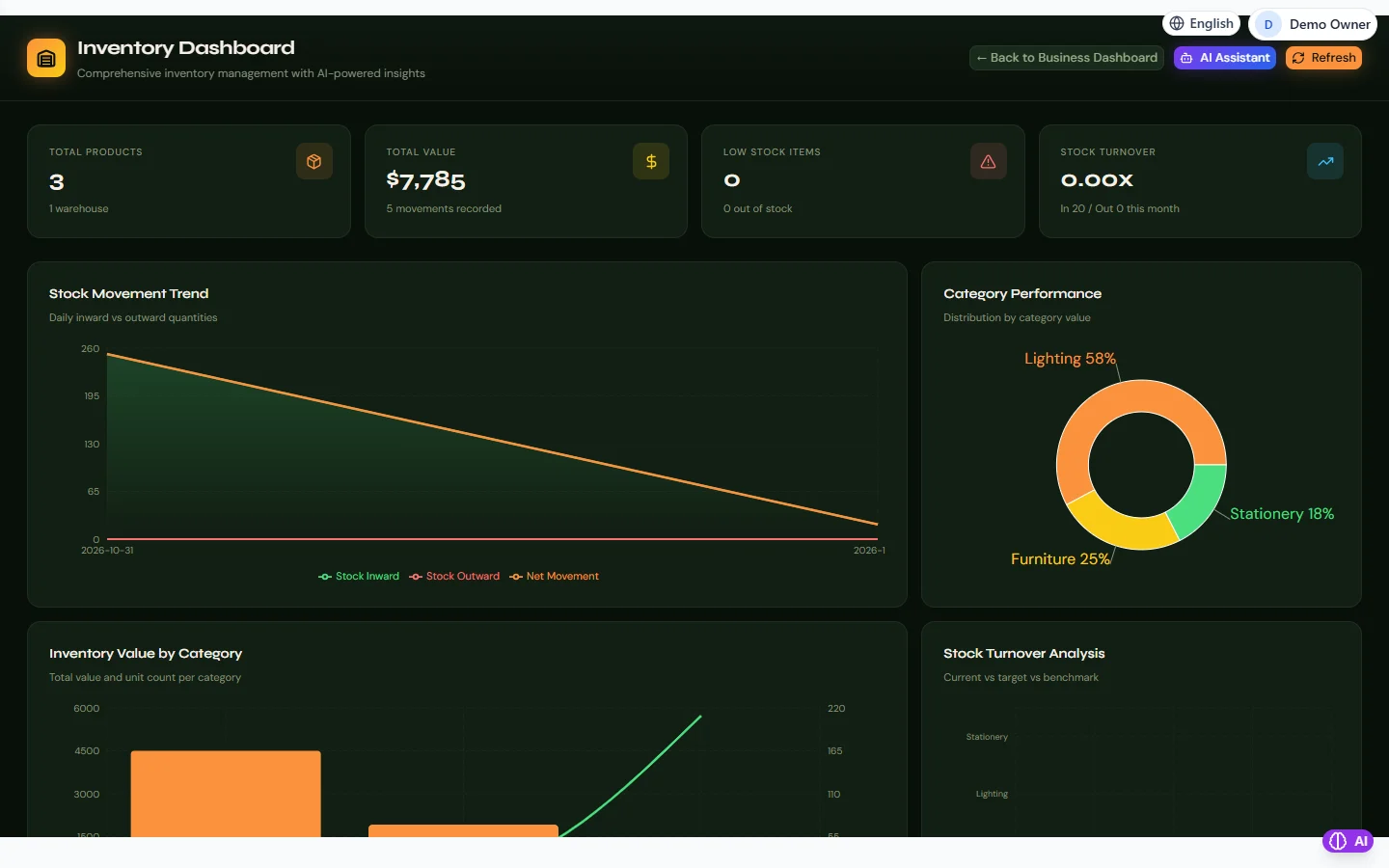
Inventory in RBTERP, with a sample company and fictional data.
Everything in inventory depends on two lists: the products you hold and the places you hold them. Set these up carefully at the start and every order, delivery and count afterwards is easier. Set them up in a hurry and you will spend months cleaning duplicates.
Product codes
Give every product a unique code, sometimes called a SKU.
- Keep codes short and meaningful. A prefix for the category and a number works well: `BOLT-0012`.
- Never reuse a code for a different product, even after the old one is discontinued.
- Keep leading zeros if you use them. A spreadsheet that turns `00123` into `123` creates a second product without telling you.
- One code per thing you sell or count. If two sizes are priced or counted separately, they are two products.
Descriptions
Write the description the way you would want to read it on an invoice: what it is, then the size or variant. Be consistent. "Bolt M8 x 40" and "M8 bolt 40mm" will be read as two different things by someone searching.
Units
Decide the unit you count and sell in: pieces, boxes, kilograms, metres. If you buy in boxes and sell in pieces, be clear which unit the stock records use, and convert on the way in.
Categories
Group products into categories that match how you look at the business: by product line, by supplier, or by department. Categories drive analysis, such as stock value and sales by category, so choose them for the questions you will ask.
Warehouses and locations
A warehouse is anywhere you hold stock and want to know how much is there: a store, a branch, a van, a consignment location at a customer.
- Create a warehouse for each place you count separately.
- Do not create warehouses you will not count. Each one is a list to keep accurate.
- Name them clearly: `Main Store`, `Lahore Branch`, `Van 1`.
Opening stock
Enter opening stock per product per warehouse, at cost, after a physical count. Opening stock at cost is part of your opening balances. See opening balances: how to prepare them.
Reorder levels
For products you must not run out of, set a minimum level based on how many you sell while waiting for a delivery. When stock reaches it, reorder.
Products and warehouses in RBTERP
- Products live in Inventory, under the product master. Each one can carry its code, description, unit and category.
- Warehouses are created under warehouse management. The setup wizard requires at least one before you can go live, and the readiness report blocks go-live without one.
- Stock value is held at cost, per warehouse, and stock movements post to the general ledger as they happen, so the inventory account and the stock list agree.
- Imports: when products come from a spreadsheet, data migration skips a product whose SKU already exists, keeps leading zeros in codes, and rejects cells that are spreadsheet formulas.
- Pakistan's FBR digital invoicing needs an HS code and a unit of measure on every product you sell. Set these from the start if you will file invoices with FBR. See FBR digital invoicing.
- The Inventory dashboard shows products, warehouses and stock value, low-stock and out-of-stock alerts, the stock movement trend, and value by category.
Next: transferring stock between warehouses and stock control for small businesses.
This guide uses the Inventory module of RBTERP: Stock by warehouse with valuation at cost, movements, low-stock alerts and category analysis.