
Guides › Sales Tax and Withholding Tax Setup
Sales Tax and Withholding Tax Setup
RBTERP team · · 3 min read
How sales tax and withholding tax work in an ERP: output and input tax, exemptions, changing rates, withholding, and reconciling tax accounts.
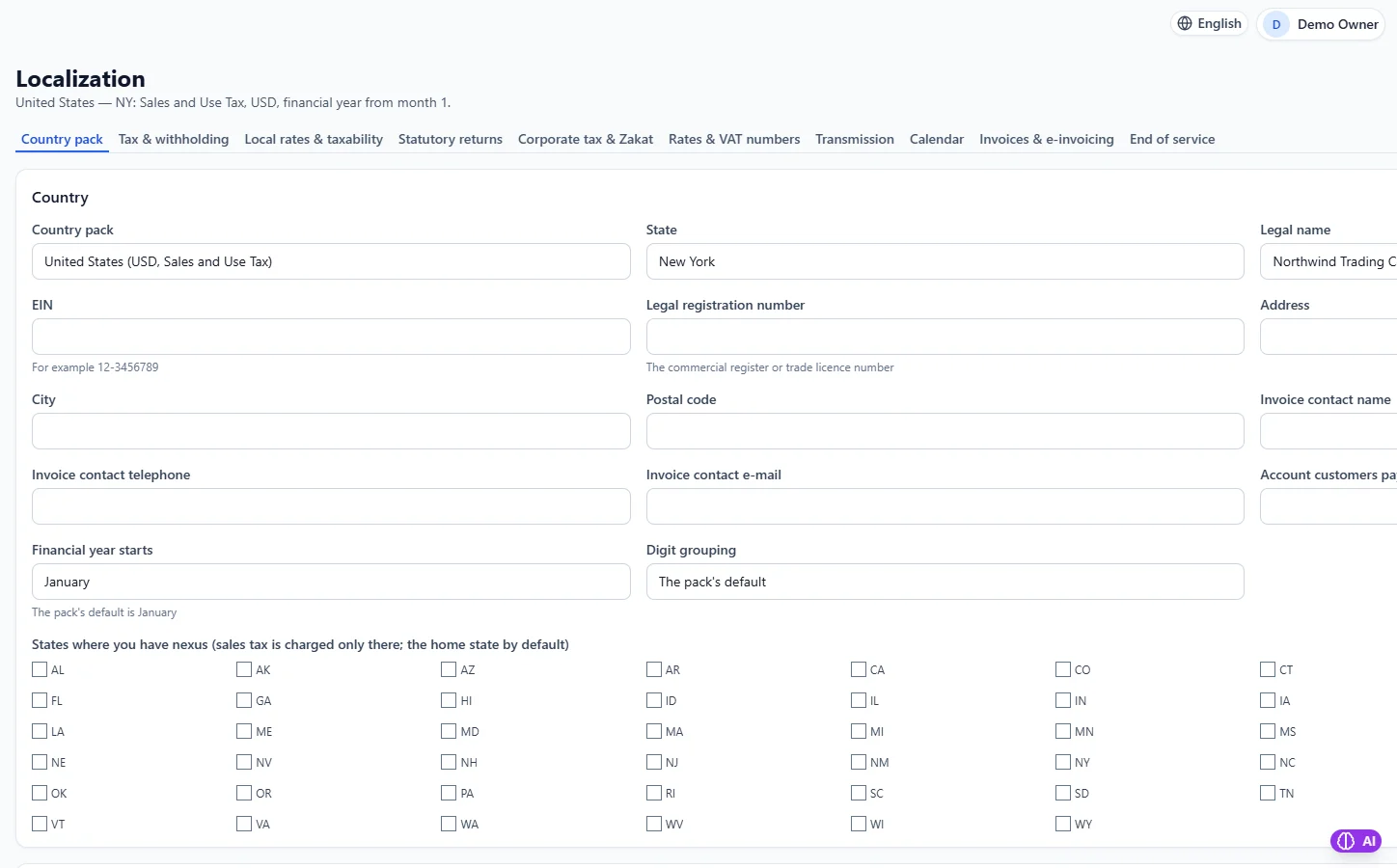
Tax & Localization in RBTERP, with a sample company and fictional data.
Tax touches almost every invoice and bill. Set up correctly, it is calculated automatically and reported accurately. Set up carelessly, it produces errors on every document and a painful reconciliation at every return. This guide explains the concepts and how to set them up. It is not tax advice: confirm rates and rules for your business with a qualified adviser.
Sales tax: output and input
- Output tax is tax you charge customers on sales. You collect it for the government; it is not your income.
- Input tax is tax suppliers charge you on purchases. Where you are registered and the law allows, you can recover it against output tax.
- The return reports both. You pay the difference, or claim it back.
Because neither is your income or your expense, both belong in their own balance sheet accounts.
Rates and their dates
Tax rates change, usually with a budget. A document must be taxed at the rate in force on its own date, not today's rate. An invoice dated in June keeps June's rate even if it is corrected in July.
Inclusive or exclusive prices
Prices can be stated excluding tax, with tax added on top, or including tax, with the tax worked out from the gross price. Choose one approach for each price list and apply it consistently.
Exemptions and special cases
- Exempt and zero-rated supplies: no tax charged, for different legal reasons.
- Exports: usually zero-rated.
- Reverse charge: for some imported services, the buyer accounts for the tax instead of the seller.
- Non-recoverable input tax: tax you cannot reclaim becomes part of the cost.
Withholding tax
In some countries, including Pakistan, a payer must withhold tax from certain payments, such as payments to suppliers for goods or services, and pay it to the tax authority on the payee's behalf. The rate depends on the type of payment and the payee's status, such as whether they are on the active taxpayers list. You pay the supplier the net amount and issue a certificate for the tax withheld.
Reconcile every month
The tax accounts in your ledger should agree with your tax reports. Reconcile them before filing each return, and investigate any difference before it grows.
Tax in RBTERP
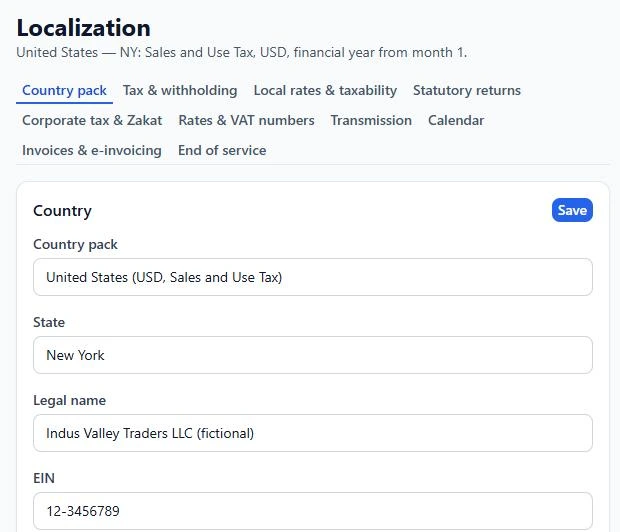
RBTERP calculates tax through one tax engine that every module uses, driven by your country pack: Pakistan, the United Kingdom, the United States, the UAE, Saudi Arabia or the EU.
- Provisioning creates the pack's tax rates and their accounts. Preview it first, then provision, from the setup wizard. Each rate is linked to its account, and every transaction form offers the right rates.
- Rates carry their dates, with the previous and scheduled rates, and a document is taxed at the rate in force on its own date.
- Inclusive or exclusive can be set per line, per document or per company.
- Output tax per authority, including national, provincial and surcharge taxes, each to its own account. Input tax is recoverable at the company's share; the rest is recorded as non-recoverable input tax, a cost.
- Reverse charge, exemptions, zero rating and exports are handled by the engine.
- The engine is the source of truth: a tax figure on a document that the engine does not accept is refused. Every posted document writes to the tax ledger, and tax reports read that ledger.
- Withholding: Pakistan's withholding table lives in the PK pack, and the withholding engine deducts tax at the payee's status, recorded in the withholding payable account.
- Reporting: a tax ledger, summaries by authority, module and rate, exceptions, withholding, and a reconciliation of the tax accounts to the general ledger.
- Direct tax: the packs also cover corporate income tax and Zakat.
For filing Pakistani invoices with the FBR, read FBR digital invoicing. For the setup step itself, see setting up a new company.
This guide uses the Tax & Localization module of RBTERP: Country packs set the currency, tax, withholding and statutory returns: Pakistan, the United Kingdom, the United States, the UAE, Saudi Arabia and the EU.