
Guides › Leads and the Sales Pipeline: From First Contact to Customer
Leads and the Sales Pipeline: From First Contact to Customer
RBTERP team · · 3 min read
How to capture leads, qualify them, move deals through a sales pipeline, and use pipeline figures to forecast sales honestly.
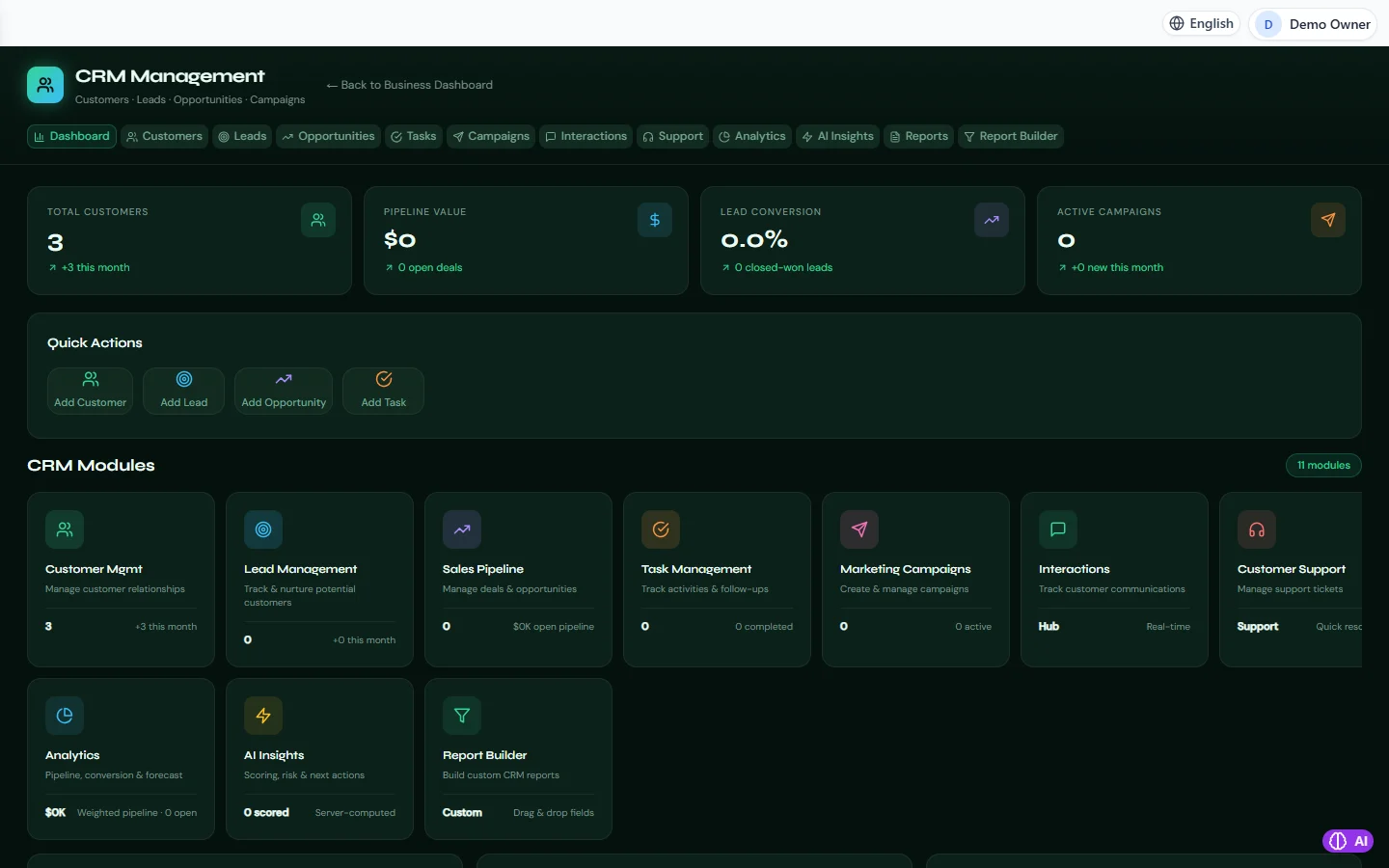
CRM in RBTERP, with a sample company and fictional data.
Sales rarely fail for lack of interest. They fail because an enquiry was not followed up, a promising conversation was forgotten, or nobody knew which deals were close. A simple pipeline fixes this by giving every potential sale a place, a next step and an owner.
The stages
Lead
Someone who has shown interest: an enquiry from the website, a call, a business card from an exhibition. You know little yet.
Qualified lead
You have checked that they could actually buy: they have a need you can meet, the budget, and someone who can decide.
Opportunity
A specific potential sale with a value and an expected closing date. This is where the pipeline lives.
Won or lost
Every opportunity ends one way or the other. Record which, and why.
Capture every lead in one place
Leads arrive by email, phone, WhatsApp and in person. Put every one in the same list, the same day, with where it came from. A lead in someone's phone contacts is a lead the business does not have.
Qualify quickly
Not every lead deserves the same effort. Ask early:
- What problem are they trying to solve?
- When do they need it?
- Who decides, and who else is involved?
- Is the size of the opportunity worth the effort?
Spend your time on the leads most likely to buy. Politely park the rest, and check back later.
Keep every opportunity moving
Each open opportunity should have:
- A value and an expected close date.
- A next step with a date: a call, a demo, a quotation.
- An owner responsible for that next step.
An opportunity with no next step is not in your pipeline; it is in your past.
Forecast honestly
The pipeline value is not your sales forecast. Weight it: an opportunity at the quotation stage is less certain than one with a verbal yes. Over time, compare what you forecast with what closed, and adjust your weights.
Learn from losses
Record why deals are lost: price, timing, a competitor, no decision. Patterns in lost deals are the most useful sales information you have.
The pipeline in RBTERP
RBTERP's CRM module keeps customers, leads, opportunities, tasks, interactions, campaigns and support in one place, connected to Sales.
- Leads with lead scoring, and conversion of a lead into a customer, so details are not typed twice.
- Imports are checked as a whole and saved in one go, all rows or none, and a lead whose e-mail is already known is skipped, which keeps duplicates out.
- The pipeline shows opportunities by stage with their value. Every figure, on the dashboard, the leads board, the opportunities list and the reports, is calculated from the same records, so every screen shows the same number.
- Tasks and interactions record each call, meeting and next step.
- Customer 360 shows a customer's sales, returns, open pipeline and open tickets together. Their lifetime value is exactly their live sales less approved returns, the same figure the accounts recognise.
- Analytics, AI insights and a drag-and-drop report builder for the pipeline.
- Every change is recorded with who made it, and a save of a record someone else changed in the meantime is refused, so two people do not overwrite each other.
When an opportunity is won, carry it into a quotation and order. See quotations that turn into orders. After the sale, keep the customer happy with customer support tickets.
This guide uses the CRM module of RBTERP: Customers, leads, opportunities, tasks, campaigns and support, with pipeline analytics and AI insights.