
Guides › Export and Import Bookings, Step by Step
Export and Import Bookings, Step by Step
RBTERP team · · 3 min read
How to manage an export or import shipment from booking to delivery: documents, containers, freight terms, tariffs, payment and compliance.
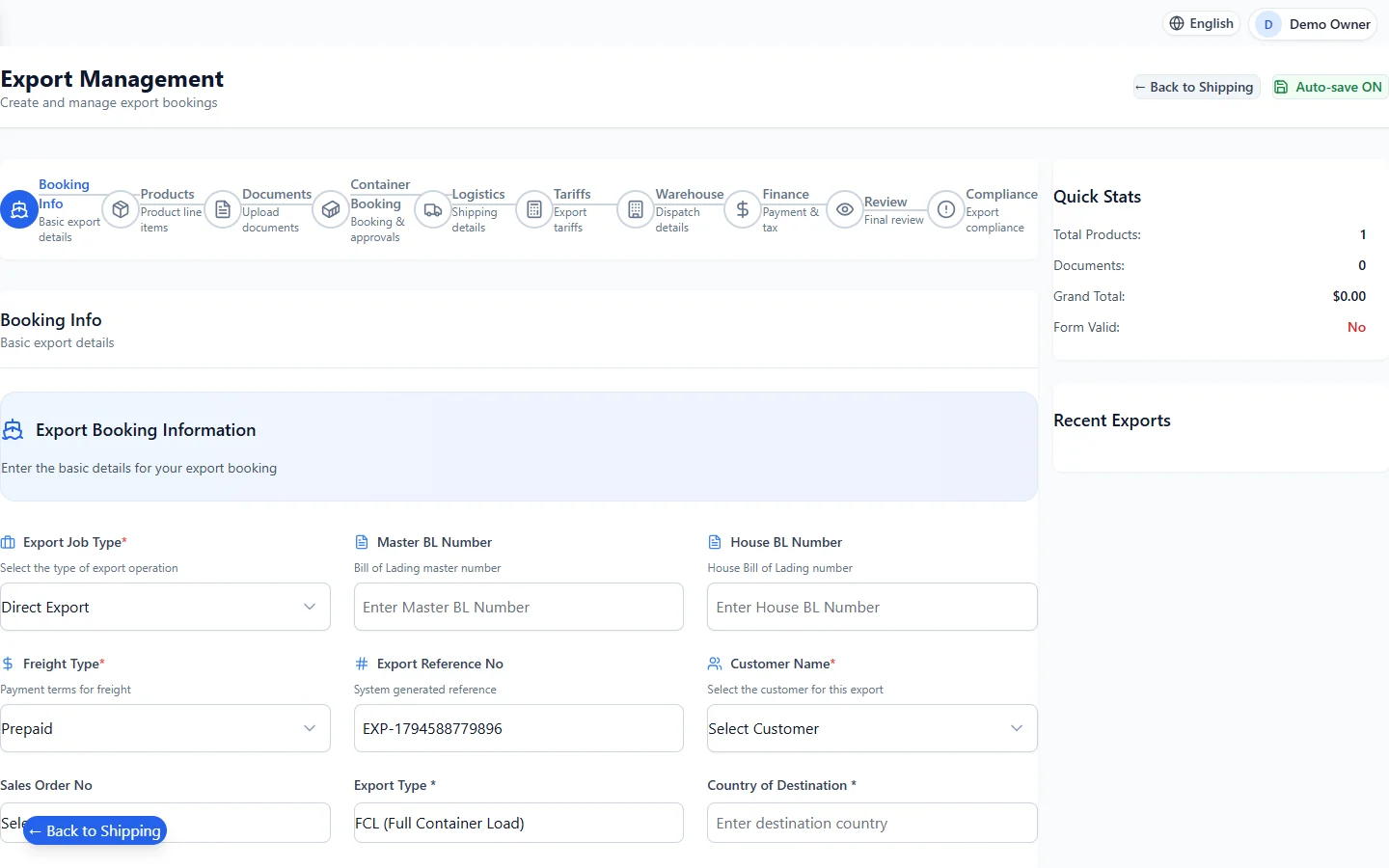
Shipping & Export in RBTERP, with a sample company and fictional data.
A single international shipment involves the customer or supplier, a freight forwarder, a shipping line, customs, a bank and your own warehouse. Each needs the right document at the right time. A structured booking process keeps them in step and makes sure the freight is charged and paid.
The stages of a shipment
- Booking: agree the goods, quantities, route, freight terms and dates.
- Documents: commercial invoice, packing list, certificates of origin, any licences.
- Container and space: book the container type and vessel or flight.
- Dispatch: pick, pack and load from the warehouse.
- Transport: the goods move; track the milestones.
- Customs: clearance at export and at import, with duties and tariffs.
- Delivery and payment: the goods arrive, the documents are released, and money changes hands.
Freight terms decide who pays for what
The Incoterms on a contract, such as FOB, CIF or DAP, decide where responsibility and cost pass from seller to buyer. They determine who books the freight, who insures the goods, and who pays which charges. Agree them in writing on every deal; they change your costs as much as the price does.
Documents that matter most
- Bill of lading or air waybill: the transport contract and, for sea freight, often the document of title. Its number identifies the shipment everywhere.
- Commercial invoice and packing list: what is being shipped, its value, and how it is packed.
- Certificate of origin: where the goods were made, which affects duty.
Mistakes in these cause delays at customs, which cost storage and demurrage charges.
Tariffs and duties
Import duties depend on the goods' classification code, their origin and their value. Classify goods carefully and keep the classification consistent; a wrong code can mean underpaid duty and penalties, or overpaid duty you never recover.
Compliance
Before an export leaves, check that the goods may be sold to that destination and buyer, and that any required licences are in place. Keep the evidence.
Know where every shipment is
Track each shipment by the events that actually happened: booked, loaded, departed, arrived, cleared, delivered. A status someone typed can be wrong; an event with a date and a document is evidence.
Shipping in RBTERP
RBTERP's Shipping and Export module guides export and import bookings step by step, covering products, documents, containers, logistics, tariffs, warehouse, finance and compliance.
- Bookings carry the bill of lading number and freight terms.
- Container booking with approvals.
- Tariffs, warehouse dispatch and payment are steps in the same booking.
- An export compliance review before goods leave.
- Status from real events. A shipment's stage is the furthest stage an actual recorded event proves, never a typed status. Every stage change is kept in the history, once, in order, with who made it. The Control Tower shows where every shipment is.
- Freight money in the books. A saved quotation's lines add up to its totals. A finalised freight charge becomes a debt in the customer's account and revenue in freight and shipping revenue; a draft is neither. A receipt settles the debt, and every journal balances.
- Bulk imports: twenty operational imports for loading shipping data in quantity.
- Permissions: each business sees only its own shipments.
Freight charged to customers flows into receivables like any invoice. See receivables ageing and collections. For import duties and sales tax on the goods themselves, see sales tax and withholding setup.
This guide uses the Shipping & Export module of RBTERP: Guided export and import bookings covering products, documents, containers, logistics, tariffs, warehouse, finance and compliance.