
Guides › From Sales Order to Cash: The Order-to-Cash Cycle
From Sales Order to Cash: The Order-to-Cash Cycle
RBTERP team · · 4 min read
The steps from a customer's order to money in the bank, what each one does to stock and to your books, and where trading businesses lose money.
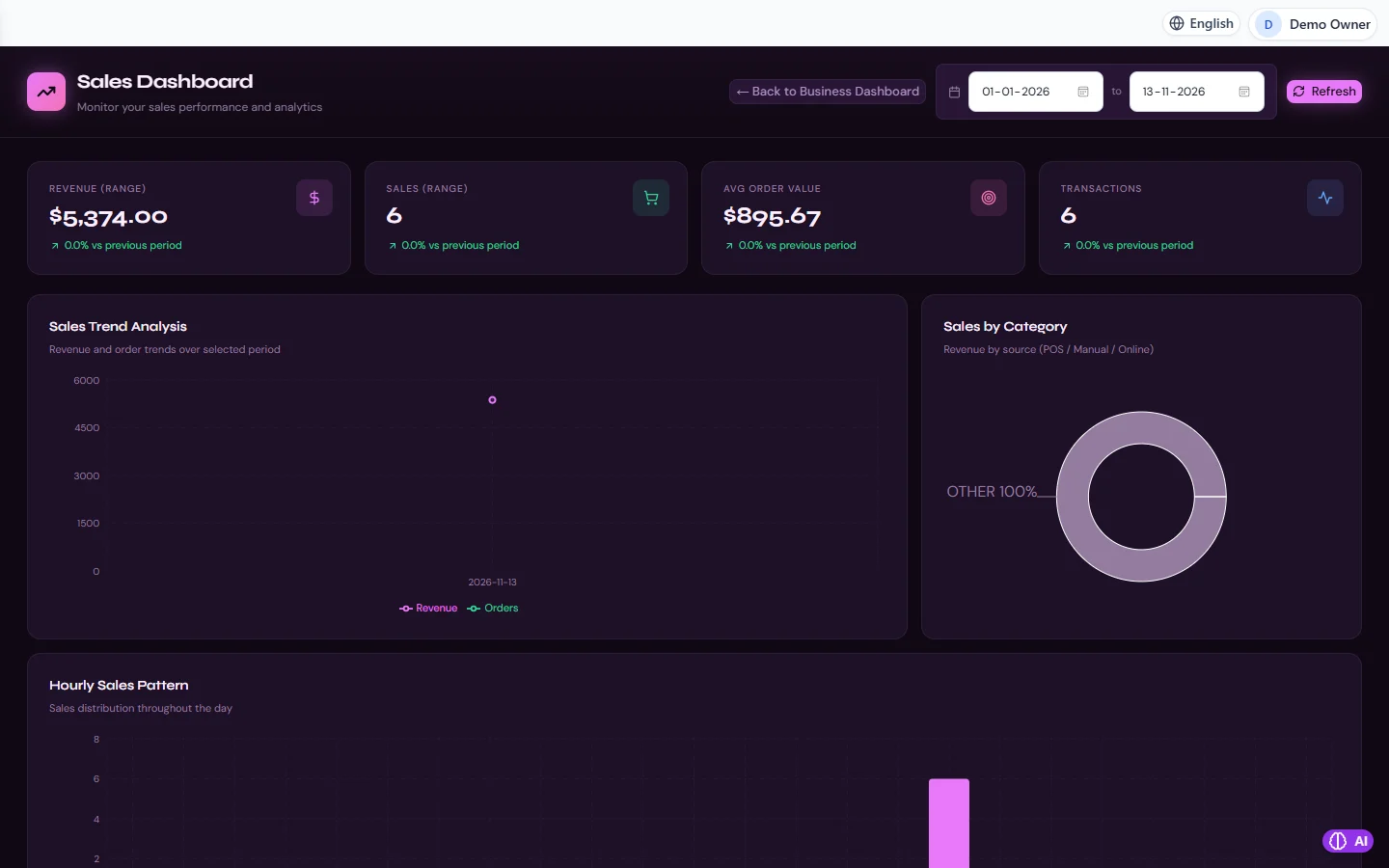
Sales in RBTERP, with a sample company and fictional data.
Order to cash is the path a sale follows: the customer orders, you deliver, you invoice, and you are paid. Each step changes something different in your records. When the steps are done in order, your stock, your customer balances and your bank agree with each other without anyone reconciling them by hand.
The four steps
1. The order
The order records what the customer wants, at what price, and when. Nothing has happened to stock or to the accounts yet. An order is a promise, and its value is that everyone works from the same promise: the warehouse knows what to pick, and the accounts office knows what to bill.
Check two things before confirming: that you have the stock, and that the customer is within the credit you are willing to give.
2. The delivery
When the goods leave, stock falls. This is the moment the sale becomes real. Record the quantity actually shipped, not the quantity ordered. If you shipped eight of ten, the invoice should say eight.
3. The invoice
The invoice turns the delivery into money the customer owes you. It records revenue, the sales tax you must pass on, and the receivable. Invoice from the delivery, so that quantities billed are quantities shipped.
Invoice promptly. A customer's payment terms start from the invoice date, so every day an invoice waits on your desk is a day added to your own wait for cash.
4. The payment
When the customer pays, the receivable falls and the bank or cash balance rises. Record the payment against the specific invoice it settles. A pile of unallocated receipts makes the ageing report useless, because nobody can see which invoices are truly overdue.
Returns
Goods come back. When they do, three things must be put right together: the customer owes less, the stock returns to the warehouse if it is fit to sell, and the revenue is reversed. Record the return against the original invoice, and keep returns in their own account so you can see how much of your sales comes back.
Where businesses lose money
- Goods delivered and never invoiced. The most expensive mistake in trading, and invisible unless deliveries and invoices are linked.
- Invoices for more than was shipped. They lead to disputes that delay payment of the whole invoice.
- Selling stock you do not have. The customer waits, and may not order again.
- Not chasing. Most late payers pay when asked. Read the ageing report every week.
- Payments recorded in the wrong month, which makes both months wrong.
The figures to watch
- Receivables ageing: how much is owed, and how much of it is overdue by 30, 60 and 90 days.
- Days to get paid: the average time between invoice and payment. If it is rising, your cash is being squeezed even while sales grow.
- Returns as a share of sales: a rising figure points to a quality, picking or description problem.
Order to cash in RBTERP
In RBTERP the four steps are linked documents, and each one posts to the general ledger as it happens.
- Order. In Sales, under Orders, create the order for the customer and the products, and confirm it.
- Delivery. Ship the order. A delivery is created and the stock leaves the warehouse. If the warehouse does not hold the quantity, the shipment is refused with "Insufficient stock".
- Invoice. Invoice the delivery. The invoice takes the delivered quantities and works out the sales tax from your country pack. It gets a number from your company's own numbering.
- Payment. In Sales, under Payments, find the invoice and record the amount, date, method and the bank or cash account. The invoice's outstanding amount falls and the bank balance rises. A payment larger than the amount outstanding is refused.
For a return, raise it against the original invoice with the quantity and condition, and have it approved by someone with sales approval. The invoice is credited, good stock goes back to the warehouse, and revenue is reversed on the sales returns account.
A document dated in a closed month is refused, so reported figures stay as reported. See the month-end close checklist.
The Sales dashboard shows revenue, the number of sales, average order value and trends for any date range, and Finance shows the receivables ageing analysis.
This guide uses the Sales module of RBTERP: Quotations, orders, deliveries, invoices and returns in one flow, with revenue, order value and trends for any date range.