
Guides › Moving from Excel to an ERP Without Losing Your Figures
Moving from Excel to an ERP Without Losing Your Figures
RBTERP team · · 4 min read
A practical plan for moving your books from spreadsheets to an ERP: the cutover date, what to bring across, in which order, and how to prove it.
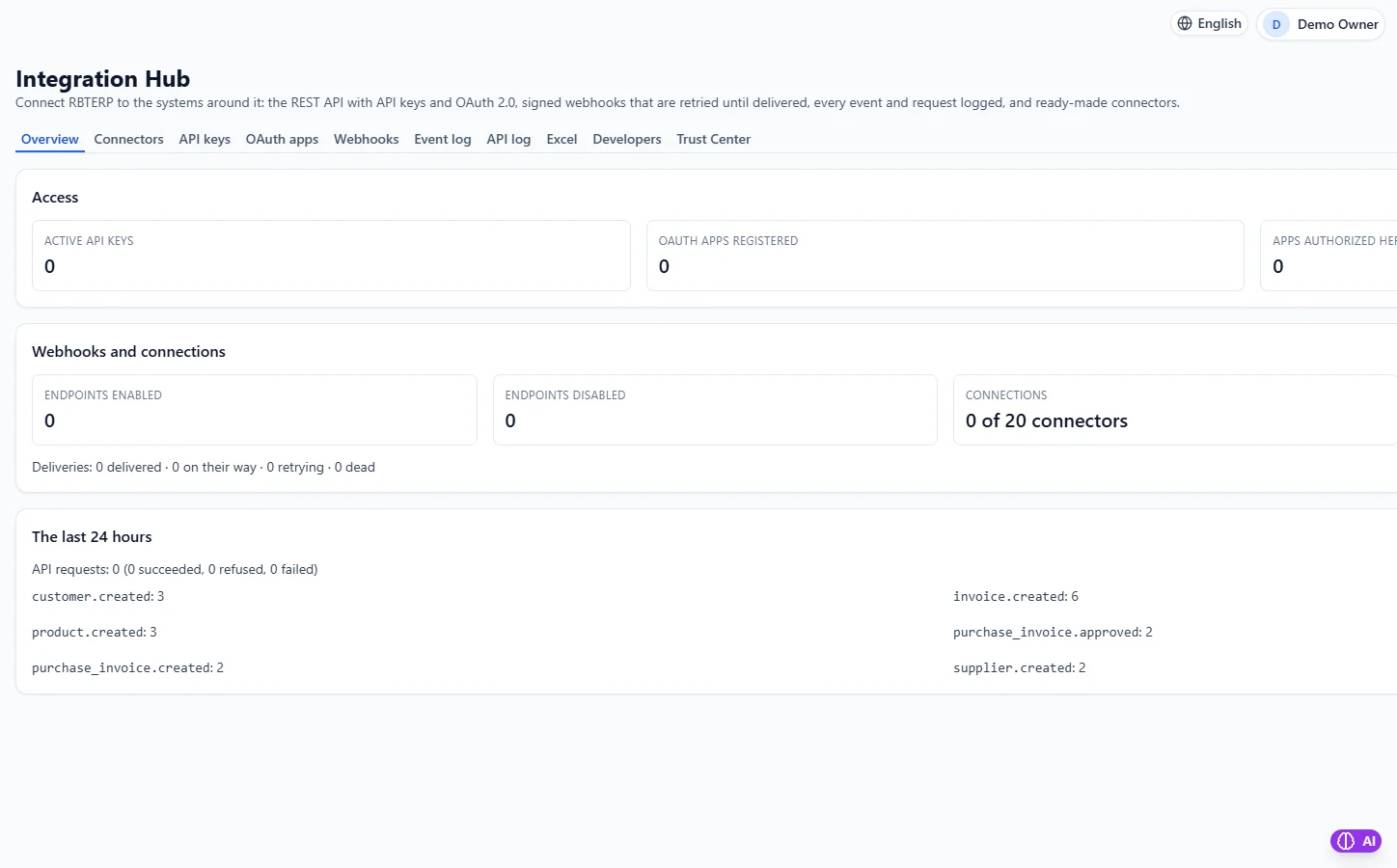
Integrations & API in RBTERP, with a sample company and fictional data.
Most small businesses start in Excel, and for a while it works. The trouble begins when two people need the file at once, when a formula is overwritten and nobody notices, or when the stock sheet and the sales sheet stop agreeing. Moving to an ERP fixes these problems, but only if the figures arrive intact. This guide is about getting them across safely.
Signs you have outgrown spreadsheets
- The same customer or product is typed slightly differently in different sheets.
- Finding what a customer owes means opening several files.
- Stock on the sheet does not match stock on the shelf, and nobody can say when it went wrong.
- Only one person understands the workbook.
- Month-end takes more than a few days.
Choose a cutover date
The cutover date is the last day your old records cover. Everything up to and including that day stays in Excel. Everything after it is entered in the new system.
Pick a month-end, and if you can, a year-end or quarter-end. Your balances are checked and agreed at those points anyway, and you avoid splitting a month between two systems.
What to bring across
You do not need to re-enter years of history. You need the position on the cutover date:
- Customers and suppliers: names, contact details, tax numbers.
- Products: codes, descriptions, units.
- The chart of accounts. See chart of accounts for a trading company.
- Open customer invoices: every invoice not yet fully paid, one by one, not a single total. You will need to match payments to them.
- Open supplier bills, in the same way.
- Stock on hand: quantity and cost for each product in each warehouse.
- Bank balances as in your books, with the list of cheques and deposits not yet cleared.
- The trial balance for every other account.
Keep the old workbook, read-only, for looking things up.
Clean before you move
Moving bad data into a new system gives you a new system with bad data. Before the cutover:
- Remove duplicate customers, suppliers and products.
- Count the stock physically and correct the sheet.
- Reconcile every bank account to the cutover date.
- Agree the list of open invoices with what customers and suppliers actually owe.
- Make sure the trial balance balances.
The order matters
Load things in an order where each step can refer to what came before: customers, suppliers and products first, then the chart of accounts, then open invoices and bills, then stock, then bank balances, and the trial balance last.
Prove it
After loading, the new system must agree with the old one on the cutover date:
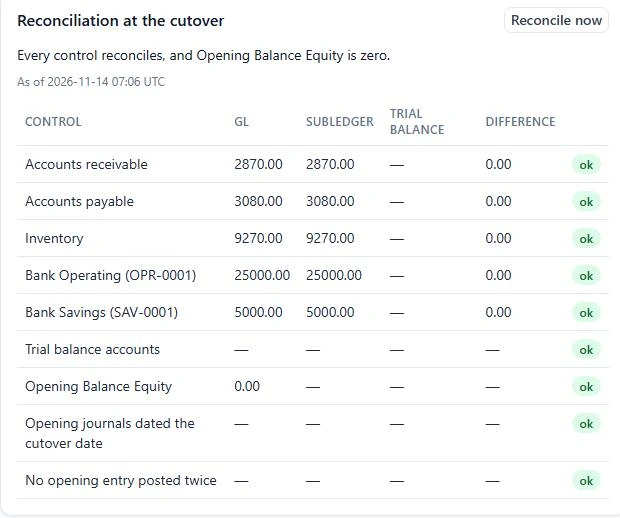
- Total receivables equal the total of the open customer invoices.
- Total payables equal the total of the open supplier bills.
- Stock value equals your counted stock at cost.
- Each bank balance equals your reconciled book balance.
- The trial balance agrees account by account.
Do not start entering new transactions until these agree. A difference found on day one takes minutes to trace. The same difference found three months later takes days.
Spreadsheet habits that cause trouble
- Formulas in cells. Export values, not formulas.
- Dates in mixed formats. 03/04/2026 is March to one person and April to another. Write dates as year, month, day: 2026-04-03.
- Codes that lose their zeros. Excel turns product code 00123 into 123 unless the column is text.
- Rounded amounts. Money should have two decimals, exactly as invoiced.
How RBTERP handles a migration
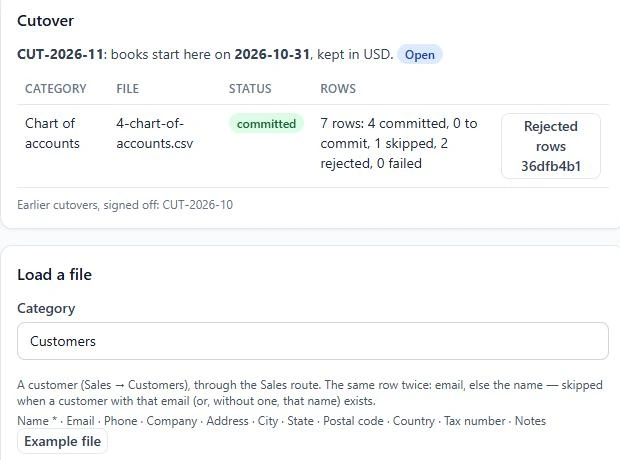
RBTERP has a data migration screen under Settings built around a single cutover date. You open a cutover with a reference and the date, then load nine categories in order: customers, suppliers, products, chart of accounts, open customer invoices, open supplier invoices, inventory on hand, bank balances and the trial balance. Each category has an example file showing its columns.
Files are checked strictly, and a row that fails is rejected with a reason, never silently changed:
- A cell that is a spreadsheet formula is rejected.
- A date like 03/04/2026 is rejected unless you state the format; 2026-04-03 is always understood.
- Money with more than two decimals is rejected, not rounded.
- Leading zeros in codes are kept.
- The same file uploaded twice is refused.
Every opening entry is dated the cutover date and posted against an Opening Balance Equity account. When the trial balance is loaded, that account should come to exactly zero. Anything left on it is the total of what does not yet reconcile, which tells you precisely how far you are from finished.
If you would like this done for you, our Full Account Setup and Data Entry services cover the chart of accounts, opening balances and reconciling the trial balance.